
How to extract image data from Instagram via Node.js
Today I want to teach you, how to scrape data from Instagram using the technologies we developers love the most!
Prerequisites(){
- Have some basic understanding of Node.js
- Have some understanding of JavaScript
- Know NPM
- An Instagram account
}
Web Scraping in the simplest explanation is the act of computationally visiting a website and extracting data you normally see on said page. For example, Google might web scrape Instagram to download a collection of images to store and show on the Google images page.
But we have APIs.
APIs are amazing in the fact they allow easy access to data which is fast and safe from layout changes. But there are some downsides to APIs. Firstly not all websites you may want data from even has one. APIs require a developer or a team of developers to make, and some companies may not want to make the investment. Secondly, APIs are rate limited and often there is a cost attributed to accessing the data.
Or maybe you really hate the complicated nature of some APIs and just want to grab some simple data that might be faster extracted via web scraping.

I will teach you today how easy and simple it is to extract data via web scraping.
Firstly open a directory on your Desktop and call it “myproject”.
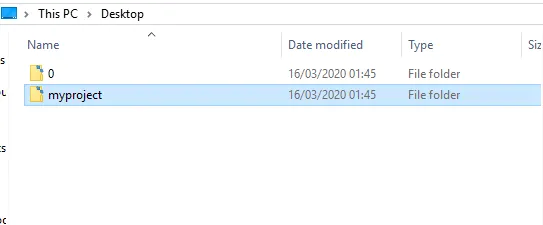
Inception
- After that in CMD run the command “npm init” and push enter a bunch of times to get a package.json file to appear inside my projects folder.
- Then we are going to need the puppeteer npm package. Run the command “npm i puppeteer”
- We are going to need a JavaScript file to start coding, please run the command “type nul > app.js”
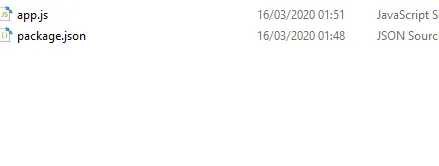
Your “myproject” directory should look like this.
The code
I like using VS-Code but use whatever you find comfortable. Open the app.js file.
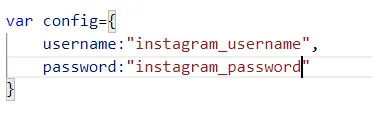
1. Create a config object with two fields, username, and password. inside the quotes please replace the Instagram username and password.

2. require the “puppeteer”
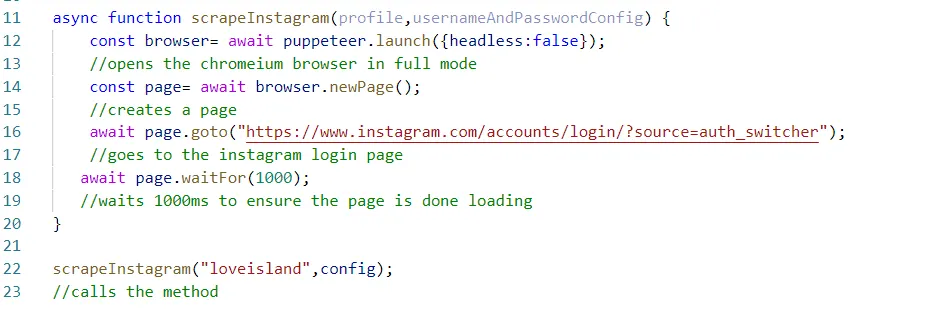
- Create async function and allow the 2 parameters, the profile username of the account you want to scrape and the usernameAndPassword config object.
- In line 12 we await the opening of puppetter and set headless to false, which when run will spawn a real chromium browser.
- On line 14 we instruct the puppeteer browser to open a new page
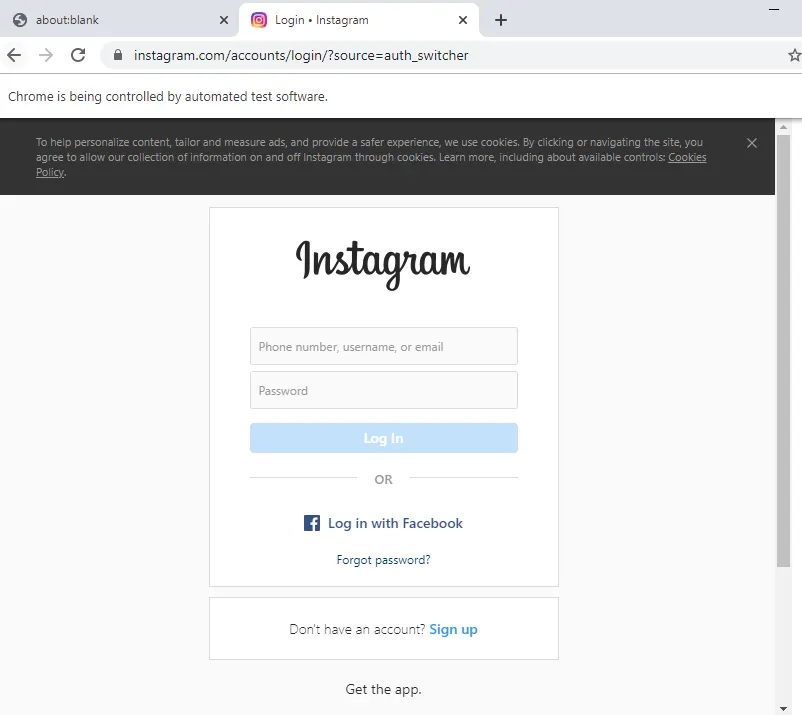
- On line 16, we instruct the new page we created to go to the Instagram Login page
- On line 18, we instruct the page to wait 1 second. You may think of this as a sleep command if your coming from other programming languages.
Now on line 22 its time to run the function and give it a test, run the command “node app.js” inside myprojects folder via CMD.
A browser should appear, and automatically navigates to the Instagram login page.
Authentication
Even with Web Scraping if there is a login screen, we must log in. We will type the username and password via code now.

- We firstly, target the css, input[name=”username”]. This targets the username input box, and instructs it to type the username from the config object.
- We do the same for password but change the variables.
If you give it a run you should see the username and password boxes being filled automatically.
After we filled in the username and password, we must now target the login button via CSS and instruct the page to click it to log in.

If you run the code, you will be logged in. Now we just use some more selectors to extract the data.
Before extraction we must wait a couple of seconds for Instagram to be fully logged in.

I have instructed the page to wait 5 seconds before moving on to the next line of execution.
Extracting Images from select profile

When i first ran the function scrapeInstagram i placed the profile username i wanted to scrape inside of the first parameter, in my example i used loveisland but you can use any username you want.
I instructed page to go to the profile “loveisland”
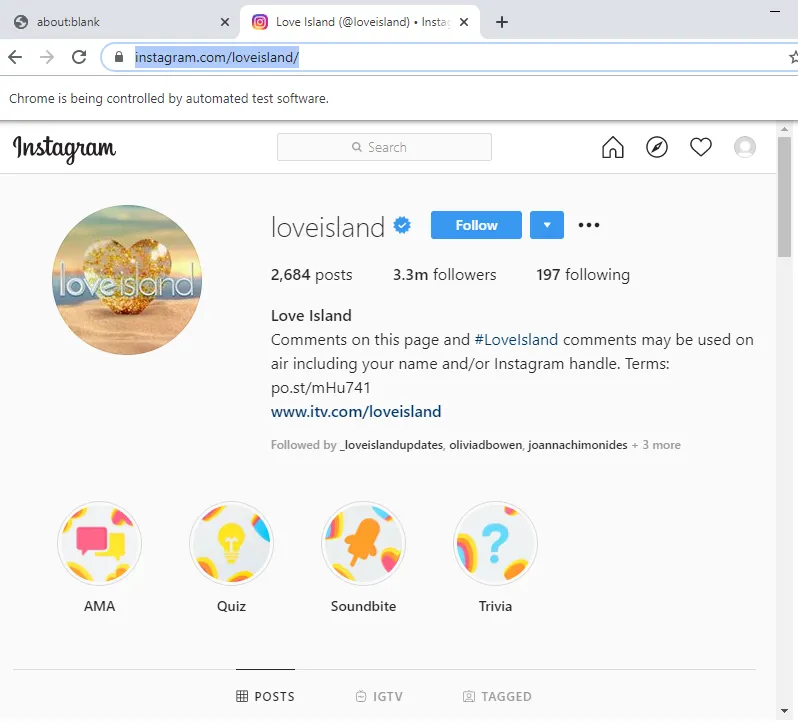
If we run the code, we should be logged in, and on the Love Island Instagram page.
We await another 5 seconds for the loveisland page is loaded before we begin to extract data.


We begin extracting. Firstly we evaluate the page, this allows us to go inside the context of the webpage. This gives us insane powers of the document object. For example we can simply type “document.getEleentById” like you were on a normal website and grab the data.
You may use inspect element to check what the class names, or selectors you will use to get the data. Or follow along to get images data. But possibilities are endless you can extract the bio, likes and much much more.
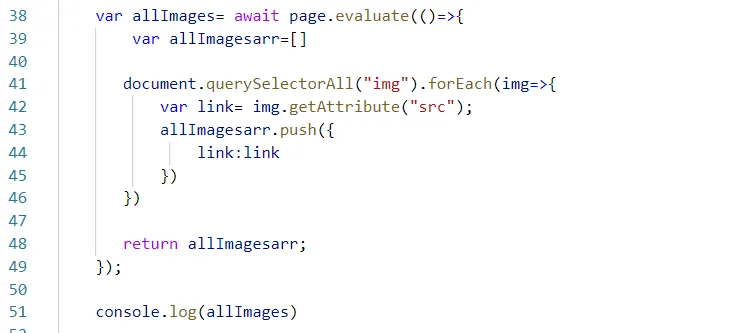
I firstly create a variable called allImages. Here i will store the image array. This will store a collection of images from the first page.
I make an allImageArray- i will push all the results here.
On line 41 i use the document.querySelectorAll to get all the img nodes on the web page. This will give me an array of img nodes. I used “forEach ”to iterate through the list of nodes.
Inside of the “forEach” i further extract the link by using the “getAttributes” API to get a hold of the images source location within the node.
Line 43 is just me pushing each iterations results back to the all images array.
at the end i return the local collection.
I then on line 51 console.log out the allImages variable to reveal a full array of image links.
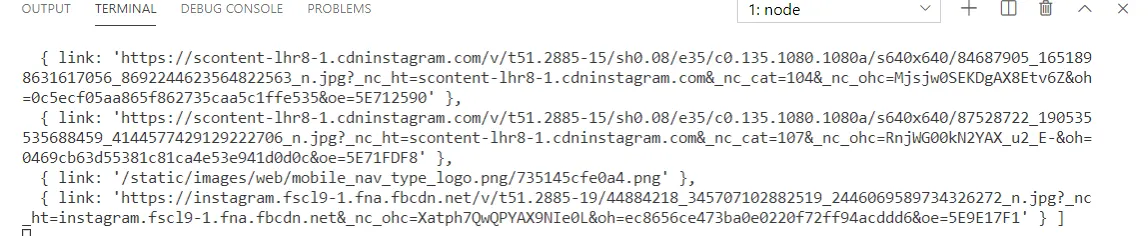
Web-Scraping is easy, you can extract or perform any action via code.
I will make further blog posts on automating our daily lives with this powerful tool in the future. I hope you learn something new and had fun along the way.
Thanks for reading!